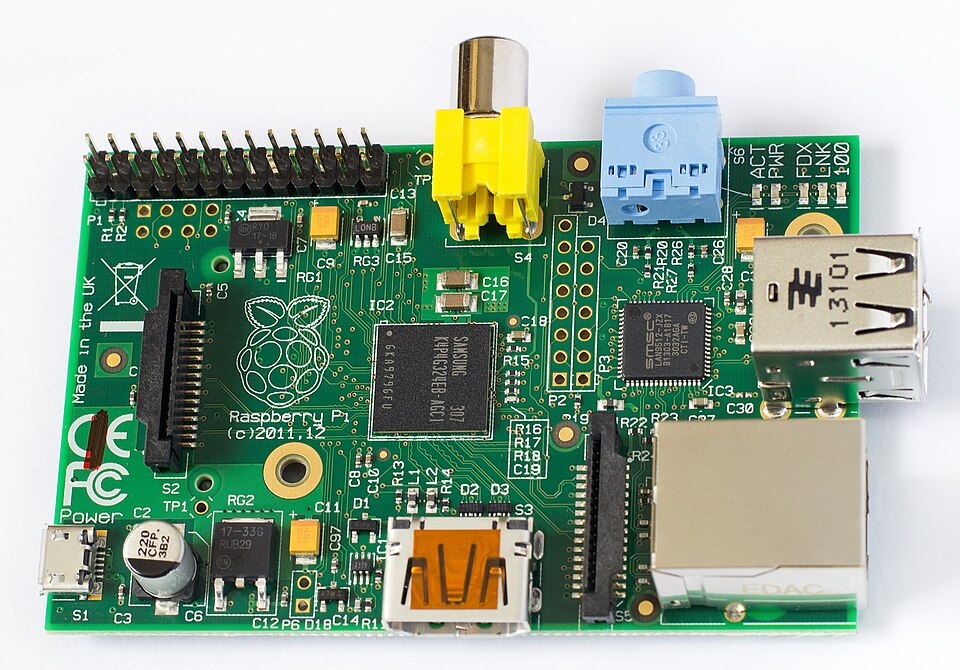
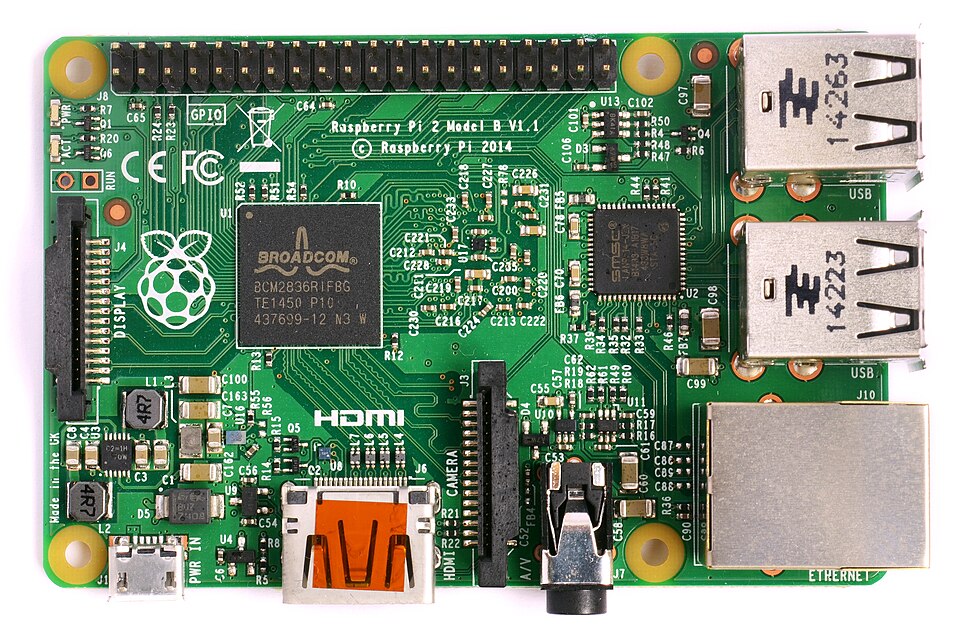
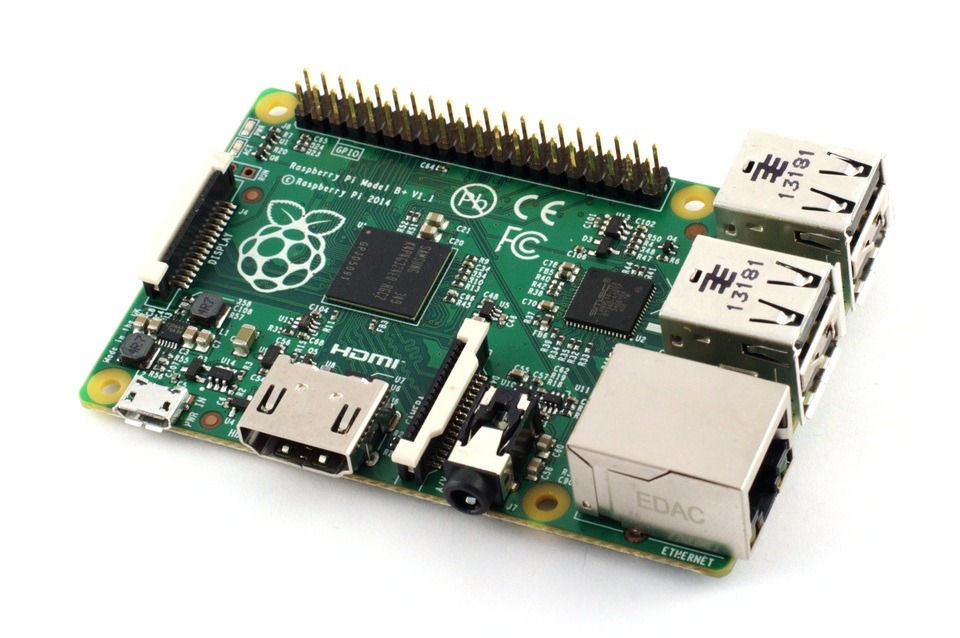
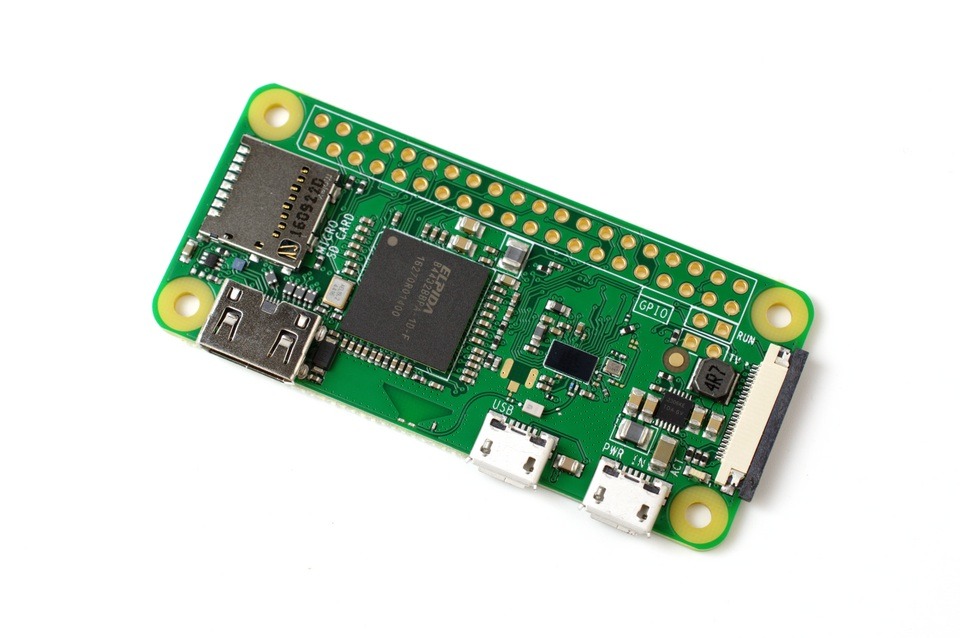
The Raspberry Pi is a series of compact, affordable single-board computers (SBCs) developed in the UK. It packs a full Linux-capable computer onto a credit-card-sized board with USB ports, HDMI, GPIO pins for hardware projects, and impressive processing power for its size and cost. Unlike a simple microcontroller, it runs a full operating system (typically Raspberry Pi OS based on Debian Linux), supports desktop applications, programming in Python and many other languages, and handles multitasking like media streaming, web serving, or home automation brains.
In the mid-2000s, the Raspberry Pi Foundation (led by Eben Upton and others at the University of Cambridge) noticed a sharp decline in the number and skill level of students applying to study Computer Science. Kids were consuming technology but not understanding how to create it. Inspired by the BBC Micro’s success in the 1980s for sparking computer literacy in UK schools, they set out to build a low-cost ($25–$35 target), programmable computer to rekindle that hands-on interest — especially in schools and developing regions. The name combines “Raspberry” (fruit-themed like early computer companies) with “Pi” (for Python).
History – Timeline of Raspberry Pi
- 2006–2009: Eben Upton prototypes early concepts on perfboard using off-the-shelf parts. The Foundation forms in 2009.
- 2012: First Raspberry Pi Model B launches and sells out instantly.
- 2013–2015: Model A, B+, Compute Module, and Pi 2 improve power, memory, and GPIO.
- 2016–2018: Pi 3 series adds built-in WiFi/Bluetooth — huge growth in education and industrial use.
- 2019–2021: Pi 4 brings USB 3.0, dual 4K video, and desktop-level performance.
- 2023–2026: Pi 5 delivers even greater performance. Over 60 million units sold worldwide.
Where It Is Mainly Used
Education remains core, but real-world adoption has exploded:
- Home automation & IoT (the brain behind many Home Assistant setups)
- Media centres (Kodi/LibreELEC)
- Robotics, CNC, and 3D printing controllers
- Industrial automation, digital signage, security cameras, retro gaming
- DIY projects like solar monitoring and weather stations
In South Africa it powers off-grid solutions, farm automation, and affordable tech experimentation.
Raspberry Pi OS Versions Over the Last 5 Years (2021–2026
Raspberry Pi OS is based on Debian Linux:
- 2021–2022: Primarily Debian 11 “Bullseye”
- 2023–mid 2025: Debian 12 “Bookworm” (kernels 6.1 to 6.6+)
- Late 2025–2026: Transition to Debian 13 “Trixie” elements (kernels up to 6.12+)
Regular updates keep systems current. The desktop environment (PIXEL) has evolved nicely with modern window managers.
Main Languages Taught in Schools on Raspberry Pi
Schools primarily teach Python (pre-installed, excellent GPIO libraries, Thonny IDE) and Scratch (block-based for younger learners). Other languages like JavaScript, C/C++, and HTML/CSS appear in advanced projects. Python dominates because the platform was designed around it.
Why Do People Compare It to Arduino?
They complement each other perfectly. Arduino excels at real-time, low-power hardware control. Raspberry Pi is a full computer better suited for complex software, networking, and multitasking. Many projects use both: Pi as the brain, Arduino/ESP as the muscle.
Arduino vs Raspberry Pi Comparison
Aspect | Arduino | Raspberry Pi | Best For (Your Projects) |
Type | Microcontroller | Single-Board Computer | Arduino: real-time; Pi: brains |
Power Consumption | Very low | Higher (manageable) | Solar geyser timing & monitoring |
Processing Power | Limited | Much stronger | CNC control, Home Assistant |
Boot Time | Instant | 10–30 seconds | Arduino for instant response |
I/O | Excellent direct GPIO | GPIO + HATs | Gate motors, sensors |
Programming | C++ sketches | Python, Scratch, etc. | Python on Pi for complex logic |
Cost (entry) | Very cheap | Higher but falling | Both great for Parts-Ring lots |
Typical Use | Sensors, motors | Servers, automation, vision | Combine both |
Expansion | Shields | HATs | Preamp, power monitor, solar projects |
If Arduino Has Shields, What Does the RPi Use?
HATs (Hardware Attached on Top) that stack onto the 40-pin GPIO header with auto-detection.
Most Popular HATs (2025–2026)
- Sense HAT — Sensors + LED matrix (education/weather flagship)
- PoE+ HAT — Power + networking in one cable
- HiFiBerry DAC HATs — High-quality audio
- Camera Modules — Vision & security
- Automation/Relay HATs — Home & industrial control
- M.2 NVMe HATs — Fast storage (especially Pi 5)
- Motor/Robot HATs — Robotics & CNC
- Display/Touch HATs — Portable builds
Many projects combine HATs with Arduino-style add-ons via GPIO.
Competition
Banana Pi, Orange Pi, Rock Pi (cheaper but smaller communities), BeagleBone, and NVIDIA Jetson. Raspberry Pi still dominates thanks to software support, documentation, and ecosystem.
How Does It Remain Relevant as Costs Rise?
Performance per rand has improved dramatically. Massive ecosystem, regular updates, and versatility across education, hobby, and commercial use keep it strong. In South Africa, second-hand units and local assembly help accessibility. Surplus Pis and components are excellent for Parts-Ring liquidation.
The Future of Raspberry Pi
AI acceleration, better efficiency, tighter IoT/Home Assistant integration, and expanded industrial use. It continues bridging hobbyist tinkering and real-world deployment.
FAQ
Do I need to know how to program to set up a Raspberry Pi? No. Basic setup is straightforward with the Raspberry Pi Imager and requires no coding. Programming comes in only when building custom projects.
What is a good age to begin with Arduino and Raspberry Pi? Arduino from ~10–12 (with supervision). Raspberry Pi from ~8–10 with Scratch, moving to Python around 12+. Both scale beautifully with the user.
What parts do I need? Power supply, microSD card, HDMI cable, keyboard/mouse (or headless via SSH).
Which model should I buy? Pi 5 for power, Pi 4 for value, Zero for tiny projects, Pico for microcontroller tasks.
What are the GPIO pins? The 40 pins let you connect sensors, motors, and HATs — turning software commands into real-world action.
Can Shields from Arduino be used on the Raspberry Pi? Yes, but not directly. Arduino shields operate at 5V logic while the Raspberry Pi uses 3.3V. You can adapt many shields using level shifters, GPIO breakout boards, or dedicated “Arduino Shield HATs” (such as the RPi-UNO-HAT or similar bridges). Many makers run both platforms together — using the Pi as the main computer and an Arduino (or ESP) for real-time hardware tasks via USB, serial, or MQTT. This hybrid approach is very common in advanced projects like robotics and automation.
The Amazing Pi Timeline
| Release Year | Model | Key Features & Improvements | Target Use Cases | Approx. Launch Price |
|---|
| 2012 | Raspberry Pi 1 Model B | 700 MHz single-core, 256/512 MB RAM, 2 USB, Ethernet, HDMI, 26-pin GPIO | Education, basic projects | $35 |
| 2013 | Raspberry Pi 1 Model A | Smaller, cheaper, 256 MB RAM, 1 USB, no Ethernet | Embedded, low-power projects | $25 |
| 2014 | Raspberry Pi 1 Model B+ | Improved GPIO (40-pin), 4 USB, better power, microSD | General use, expansion | $35 |
| 2015 | Raspberry Pi 2 Model B | 900 MHz quad-core, 1 GB RAM, better performance | Desktop, light multitasking | $35 |
| 2016 | Raspberry Pi 3 Model B | 1.2 GHz quad-core, built-in WiFi + Bluetooth, 1 GB RAM | Wireless projects, IoT | $35 |
| 2016 | Raspberry Pi Zero | Ultra-small, 1 GHz single-core, 512 MB RAM, mini HDMI | Wearables, embedded, drones | $5–$10 |
| 2017 | Raspberry Pi Zero W | Zero + WiFi & Bluetooth | Wireless embedded projects | $10 |
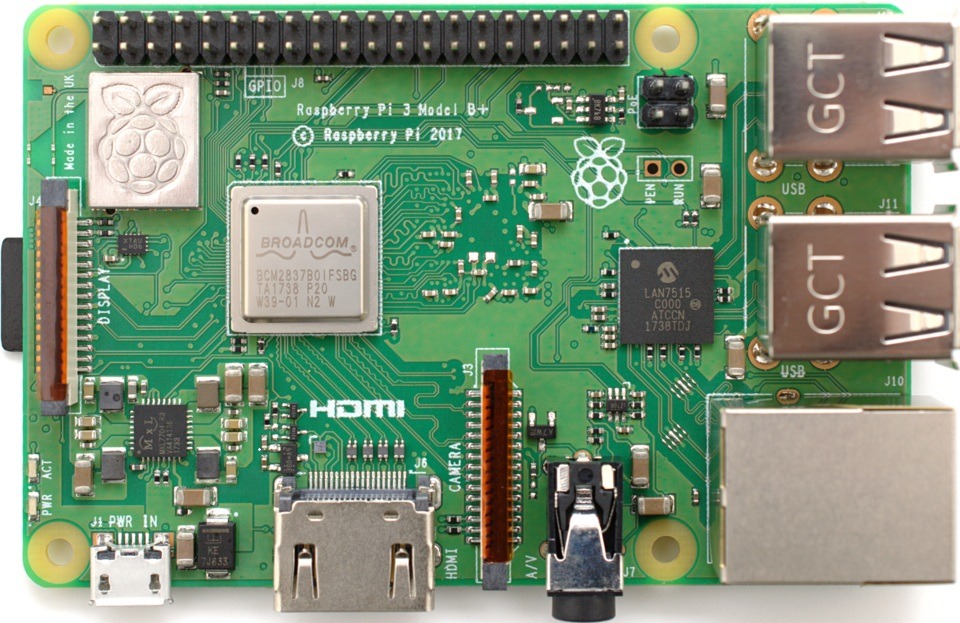
| 2018 | Raspberry Pi 3 Model B+ | Faster CPU, better WiFi, PoE support, 1 GB RAM | Improved networking & power | $35 |
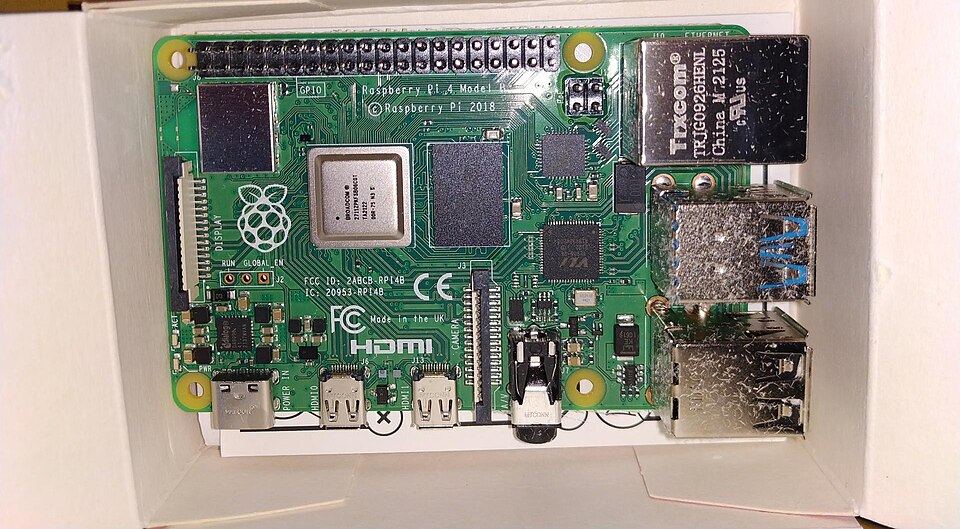
| 2019 | Raspberry Pi 4 Model B | 1.5 GHz quad-core, up to 8 GB RAM, USB 3.0, dual 4K HDMI, Gigabit Ethernet | Desktop replacement, media servers, CNC | $35–$75 |
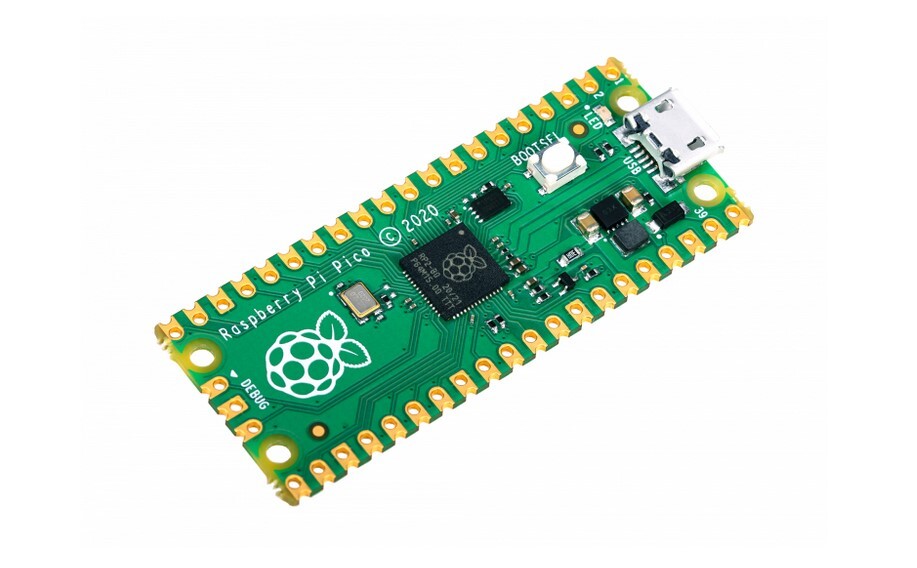
| 2021 | Raspberry Pi Pico | Microcontroller (RP2040), very low cost, no OS | Real-time electronics (Arduino-like) | $4 |
| 2023 | Raspberry Pi 5 | 2.4 GHz quad-core, up to 8 GB RAM, PCIe, better power management, dual 4K | High-performance projects, AI, servers | $60–$80 |
Raspberry Pi 5: EVERYTHING you need to know
Raspberry Pi 5 in 2023. This video highlights everything new in Pi 5. Channel Jeff Geerling
Further Reading
Technical Research and Image Credits